


Words in Color
4.425.00 Reviews
App Specs
- Version
- 1.0.4
- Updated On
- License
- Free
- Downloads
- 50,000+
- Developer
- Second Gear Games
- Categories
- Word
- Platform
- Android
Screenshots
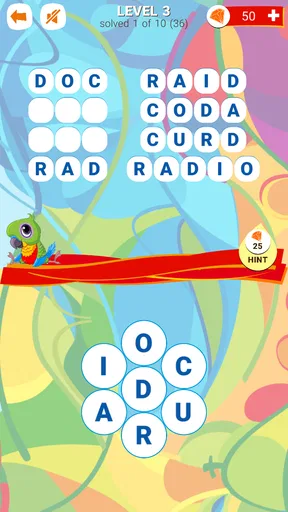
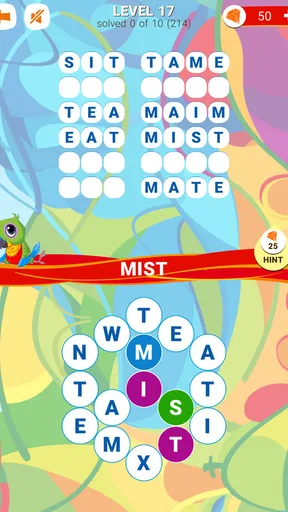
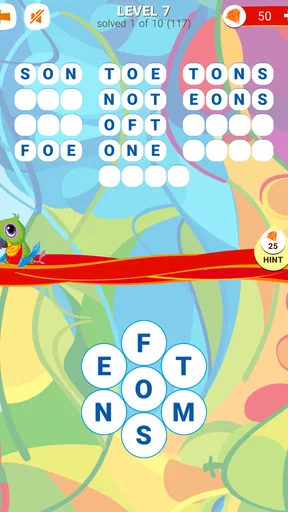
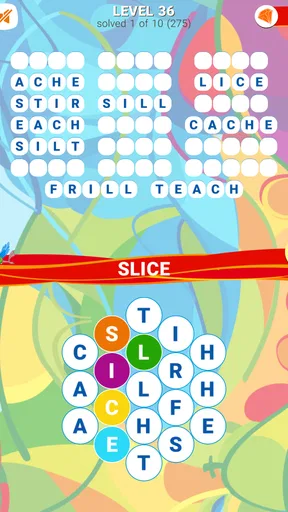
 Analysis by AppCompare
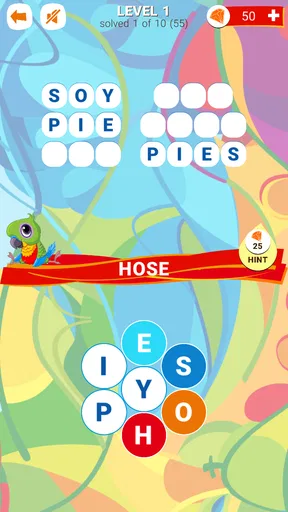
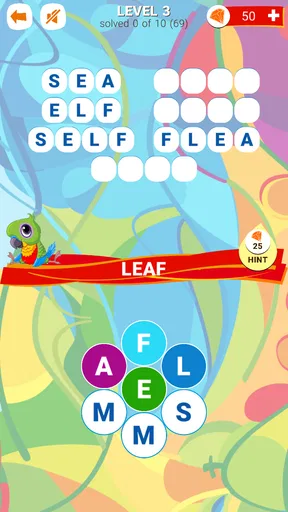
I approached Words in Color as a small, focused word game rather than something designed to occupy an entire evening. Its central idea is easy to understand: connect letters, discover words, and use the color-based presentation to make the board feel more inviting than a plain letter grid. After spending time with it, I found that its appeal depends less on spectacle and more on whether you enjoy calmly spotting patterns and testing possible combinations.
That makes the game fairly easy to place among mobile word puzzles. It is not trying to replace a full crossword book, a competitive word duel, or a large adventure game. Instead, it suits the short moments when I want a mental break without learning complicated rules first. The free entry point also makes it simple to try, although optional purchases ranging from $2.99 to $29.99 per item mean that I would still approach the longer-term experience with a little awareness.
How I judged the game before recommending it
My first question with any word puzzle is whether the basic interaction remains pleasant after the novelty wears off. In this case, the answer is mostly yes. Connecting letters feels direct, and the color treatment gives the board a more readable, playful character. I did not need a tutorial-heavy introduction to understand what I was supposed to do, which is important for a game meant to be opened during a spare minute.
The second question is how much concentration the puzzle demands. Words in Color sits in a comfortable middle ground. It asks me to look carefully and consider several possible words, but it does not present itself as an intimidating language exam. That balance is useful for casual players, families, and anyone who likes vocabulary games without wanting a timer constantly pushing them forward.
I also paid attention to how the game fits ordinary routines. A good mobile word game should work when I am waiting for an appointment, taking a short break from work, or winding down before sleep. This one has the right general shape for those situations because the core action is immediately understandable. I can pick it up, solve a little, and put it down without needing to remember a complicated story or manage a large collection of resources.
There is a practical point for older devices too. The game supports Android versions beginning with 4.0.3, so its compatibility reaches well beyond newer phones. That does not guarantee identical performance on every handset, but it does make the game a plausible option for people who keep an older device as a spare or prefer not to upgrade simply for casual games.
The color design is more than decoration
The most distinctive part of the presentation is the use of color around the word-finding activity. In many letter games, the board can blur into a repetitive collection of tiles. Here, the colors help separate the experience from a standard black-and-white word grid. I found that this matters because visual mood affects how long I am willing to stay with a puzzle.
Worth Reading Before You Choose

EA SPORTS FC Mobile 26 Is a Bigger Football Game, but It Takes Time

Flipboard Shows What News Apps Must Do Beyond the Feed

Switching to Android Auto Means Rethinking Your Driving Routine

Google Calendar Makes a Crowded Week Easier to Manage

Ludo King Makes the Most of the Minutes Between Plans

Baby Panda World Brings Quick Play to Modern Phones, but Its Game Library Feels Busy
Color also creates a useful first impression for players who might otherwise find word games dry. Someone who does not want a serious crossword challenge may be more willing to try a board that looks bright and approachable. I would not call the visual style a substitute for strong puzzle design, but it gives the game a recognizable personality and helps it avoid feeling like a simple dictionary exercise.
My advice is to resist rushing through the board. The natural temptation is to connect the first familiar word I see, then repeat that behavior. A better approach is to scan the full arrangement before committing. I look for short, obvious words first, then use the remaining letters to test longer combinations. This makes the game feel less like random tapping and more like a small process of elimination.
Where this game is especially comfortable
Words in Color works best for players who enjoy quiet discovery. I can imagine recommending it to a friend who likes word searches but does not want the dense clue structure of a traditional crossword. It is also a reasonable choice for someone who wants a casual vocabulary activity that feels more thoughtful than an idle tapper.
Its broad age positioning helps here. The content rating is Everyone, so the game is suitable for a wide household audience. That does not mean every puzzle will be equally easy for every person, but it does make the concept approachable for children, parents, and older players who prefer straightforward wordplay over action or competition.
A realistic use case is a short train ride. I might open the game intending to solve only one board while waiting, then continue if I still have time. Because the main task is self-contained, I do not need headphones, a long uninterrupted session, or a particular mood. That flexibility is one of its strongest qualities.
It can also serve as a gentle break between demanding tasks. When I have been reading or working for a while, a word puzzle gives my attention something structured to do without asking me to follow a plot. The important distinction is that I would use it as a reset, not as a serious study tool. It can encourage observation and vocabulary recall, but it should not be treated as a replacement for language learning software or a reference dictionary.
Small habits that make solving less frustrating
One useful habit is to separate recognition from confirmation. When I notice a possible word, I do not immediately assume it is the intended answer. I check whether the surrounding letters suggest another route and whether solving that word would leave a more manageable board. This reduces the feeling of being stuck because I am evaluating the whole arrangement instead of focusing on one attractive possibility.
Another helpful technique is to change the direction of my scan. If I have been reading from left to right, I look for patterns diagonally or from the opposite side. The color layout can make certain groups stand out, but it can also encourage tunnel vision if I stare at only one area. Deliberately shifting my attention is a simple way to uncover combinations I initially overlooked.
I also recommend taking a pause before using any assistance that may be available through the game’s progression or purchase structure. The satisfaction here comes from finding the word myself. If I spend too quickly whenever a board becomes uncomfortable, the game loses much of its purpose. I would save any help for a genuine dead end rather than treating it as part of the normal solving rhythm.
How it compares with other kinds of word games
The closest alternatives are conventional word searches, crossword-style puzzles, anagram games, and competitive word apps. Words in Color has a more relaxed identity than the competitive group. If I want to compare scores with other people, race against a clock, or build a long-term social routine, I would look toward a game designed around those priorities instead.
Compared with a classic crossword, this game asks for less clue interpretation. Crosswords reward knowledge, cultural references, and the ability to understand deliberately indirect hints. Here, the focus is more visual and combinational: I am examining letters and looking for words that fit the board. That makes it easier to enter, but it may feel less satisfying to someone who specifically wants cryptic clues or detailed definitions.
Compared with a standard word search, the color presentation gives this game a softer and more modern feel. A paper puzzle book can offer a huge number of puzzles and a distraction-free experience, while this app is more convenient to carry and open instantly. The trade-off is that a physical book has no in-app purchase prompts and does not depend on the particular habits of a mobile game.
Anagram games usually make the rearrangement itself the central challenge. In this title, the act of connecting letters gives the search a different rhythm. I found that distinction useful: when I wanted to visually explore a board, this game felt more natural than repeatedly shuffling the same letters. If I prefer constructing words from a fixed rack or competing for the longest possible answer, another category will probably suit me better.
The game also differs from language-learning apps. Those tools normally organize vocabulary around lessons, pronunciation, definitions, or repetition. Words in Color is entertainment first. It may make me think about spelling and word patterns, but it does not provide the structured feedback I would expect from a dedicated study product. That is not a flaw in itself; it is simply an important boundary when deciding what to install.
Who may want a different option
I would not make this my first recommendation for someone who needs constant novelty, a strong narrative, or a competitive ladder. The core appeal is narrow by design, and players who quickly tire of finding words may experience the presentation as pleasant but not deep enough. A crossword collection would be better for people who want clues and broad subject knowledge, while a multiplayer word game would be more appropriate for someone motivated by direct rivalry.
I would also hesitate to recommend it to a player who wants a completely purchase-free environment. The game itself is free, which lowers the barrier to trying it, but optional items can cost from $2.99 to $29.99. I would not assume that every player will need to buy anything, yet anyone sensitive to in-app spending should decide in advance whether they are comfortable with that model and keep purchasing limits in mind.
Another consideration is the level of challenge. The Everyone rating tells me the content is broadly accessible, not that every player will find the puzzles equally demanding. A skilled word-game fan may eventually want denser clues, unusual vocabulary, or timed pressure. In that situation, the simpler visual approach could become a limitation rather than a benefit.
What switching to it really involves
The cost of trying this game is low in practical terms because it is free to install and the rules are quick to grasp. The bigger cost is attention. If I already have a favorite crossword app, a paper puzzle book, or a competitive word platform, Words in Color needs to offer a different mood rather than merely duplicate that experience.
For me, the switch makes sense when I want a lighter board and a more visual search. I would keep a crossword game for deliberate, clue-based sessions and use this one for shorter breaks. Thinking of it as a companion rather than a total replacement prevents disappointment. It does not need to win every comparison; it only needs to be the better fit for a particular moment.
The developer is Second Gear Games, and the game has reached over 50 thousand installs with a 4.4 average from around 389 ratings. Those figures suggest that it has found a modest audience, but I would still judge it by my preferred style of play rather than popularity alone. A word game can be well liked and still not match someone who wants competition or advanced clues.
The release date was July 4, 2020, and the current version is 1.0.4. For a reader deciding whether to try it, the more useful takeaway is that this is an established, compact game rather than a brand-new experiment. I would install it with realistic expectations: a focused word puzzle with a colorful identity, not a constantly expanding platform that needs to become the center of my gaming time.
My recommendation after using it
I recommend Words in Color to casual word-game players who enjoy visual pattern spotting, short sessions, and uncomplicated rules. It is particularly suitable if you want something calm to open during spare moments and prefer connecting letters to interpreting elaborate clues. The color-led presentation gives the familiar word-search idea enough character to feel distinct, while the accessible rating makes it easy to share with a broad range of players.
I would skip it if your main goal is competitive play, formal vocabulary training, or a deep progression system. I would also be cautious if optional purchases are likely to tempt you beyond your budget. The free starting point is useful, but a sensible approach is to try the game without spending first and decide whether the basic loop remains enjoyable on its own.
My final view is positive but measured. This is a good choice when I want a friendly, low-pressure word puzzle that rewards looking carefully rather than reacting quickly. Its strongest advantage is the combination of immediate playability and a more colorful atmosphere than many traditional alternatives. Its main weakness is that players seeking richer clues, social competition, or a more demanding vocabulary challenge may outgrow it.
Choose it for relaxed letter hunting, not for every kind of word-game experience. If that description matches the break you want to take, the game is easy to recommend. I would start with the free version, use the scanning techniques above to get more from each board, and only consider optional purchases if the everyday solving loop genuinely earns a place in my routine.
Pros
- Simple color-word puzzles are easy to learn and start playing quickly.
- Short rounds make it convenient for quick breaks or casual sessions.
- Minimal controls are comfortable on both phones and tablets.
- Increasing difficulty can provide a satisfying mental challenge.
- Lightweight gameplay is suitable for older or less powerful devices.
Cons
- Some puzzles may feel repetitive after extended play sessions.
- Color perception differences can make certain challenges frustrating.
- Limited gameplay variety may reduce long-term appeal for some users.
- Ads may interrupt the experience
- depending on the app version.
- The color-based design may be less accessible for color-blind players.
FAQs for Words in Color
What is Words in Color, and how does the game work?
Words in Color is a word puzzle game that combines vocabulary challenges with colorful visual clues. After starting a level, you typically arrange, identify, or connect letters and words according to the objective shown on screen. The color-based presentation makes the puzzles easy to follow, while the increasing difficulty keeps the experience engaging for both casual players and people who enjoy more demanding word games.
Is Words in Color free to download and play?
Words in Color can generally be downloaded for free, allowing players to try its main puzzles without paying upfront. However, free versions of mobile games may include advertising, optional purchases, extra hints, or other paid features. Before downloading, it is worth checking the store listing for the current pricing model, available in-app purchases, and whether certain content requires payment.
Can I play Words in Color without an internet connection?
The availability of offline play may depend on the version of Words in Color and the device being used. Basic gameplay may work without a constant connection once the necessary content has loaded, but advertisements, synchronization, updates, leaderboards, or purchases can require internet access. If offline gaming is important to you, test the app in airplane mode after installation and review its current store description.
Is Words in Color suitable for children and language learners?
Words in Color may be suitable for children, students, and language learners because it encourages spelling, word recognition, concentration, and vocabulary practice in a game-like format. Nevertheless, the appropriate age can vary according to the vocabulary used, difficulty level, advertisements, and optional social or purchase features. Parents should review the app’s age rating, privacy information, and device restrictions before allowing younger children to play.
What should I know about hints, advertisements, and in-app purchases?
Words in Color may use hints or similar assistance features when a puzzle becomes difficult. Depending on the version, hints can be earned through gameplay, obtained after watching an advertisement, or purchased with real money. Ads may also appear between levels or during other parts of the game. Check the in-app purchase settings and privacy controls, especially if children use the device, to avoid unintended purchases.


